
Flat prices for your customers. A flat price for you.
Quote from your price book. Your customer approves, picks a time and pays the deposit from one link. Tap Done and the invoice sends itself, with polite reminders until it’s paid.
goFlatBid launches soon. Join the waitlist and get 50% off your first 12 months as a founding member.
For small businesses and independent vendors in the trades: handyman, plumbing, electrical, HVAC, cleaning, pressure washing, lawn care and more.
From quote to money in the bank
Every job follows the same five steps. You do two of them. The rest happens on its own.
1
Quote
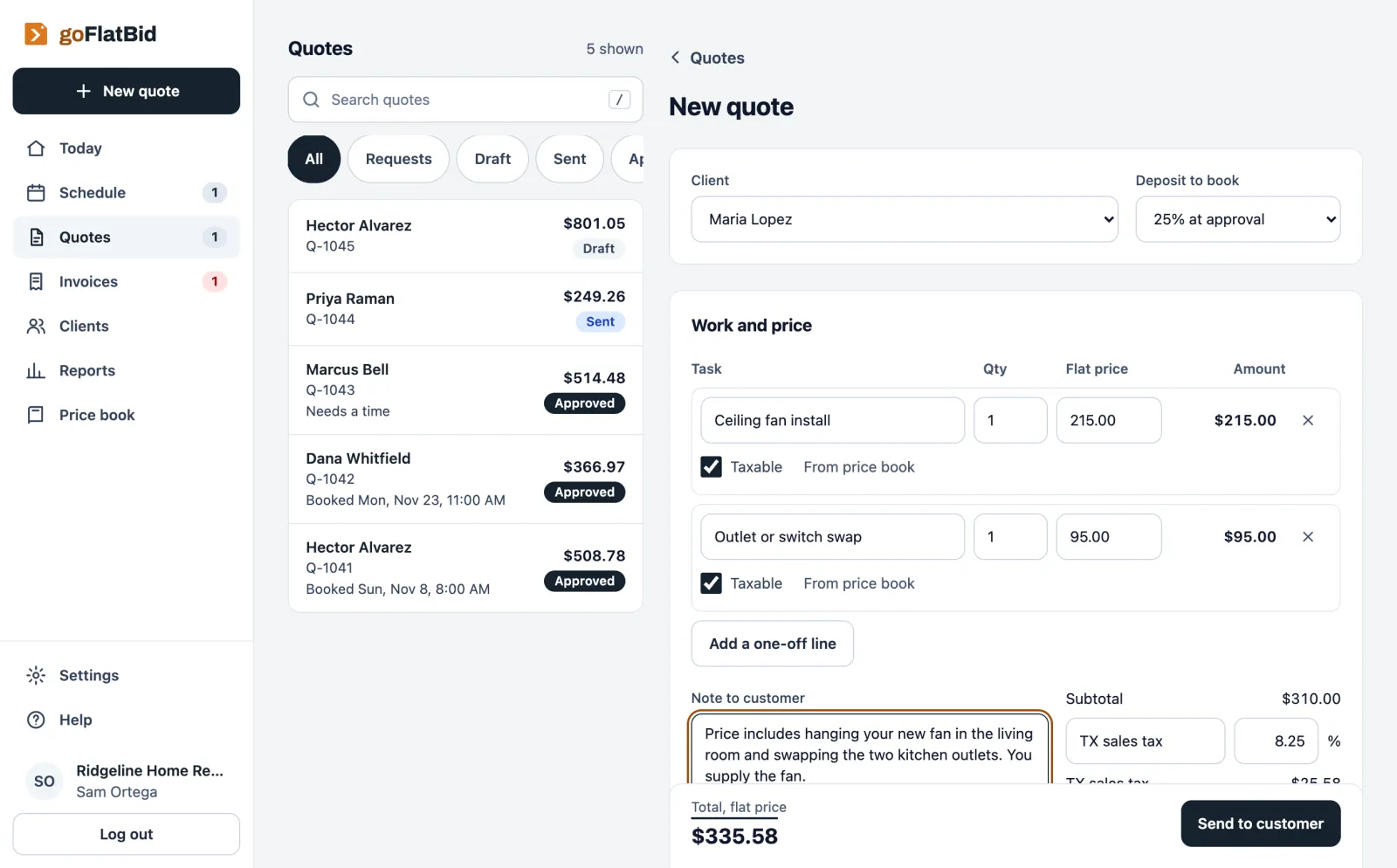
Pick tasks from your price book. Tax and the deposit work themselves out. Send by text and email.
2
Approve, book, pay
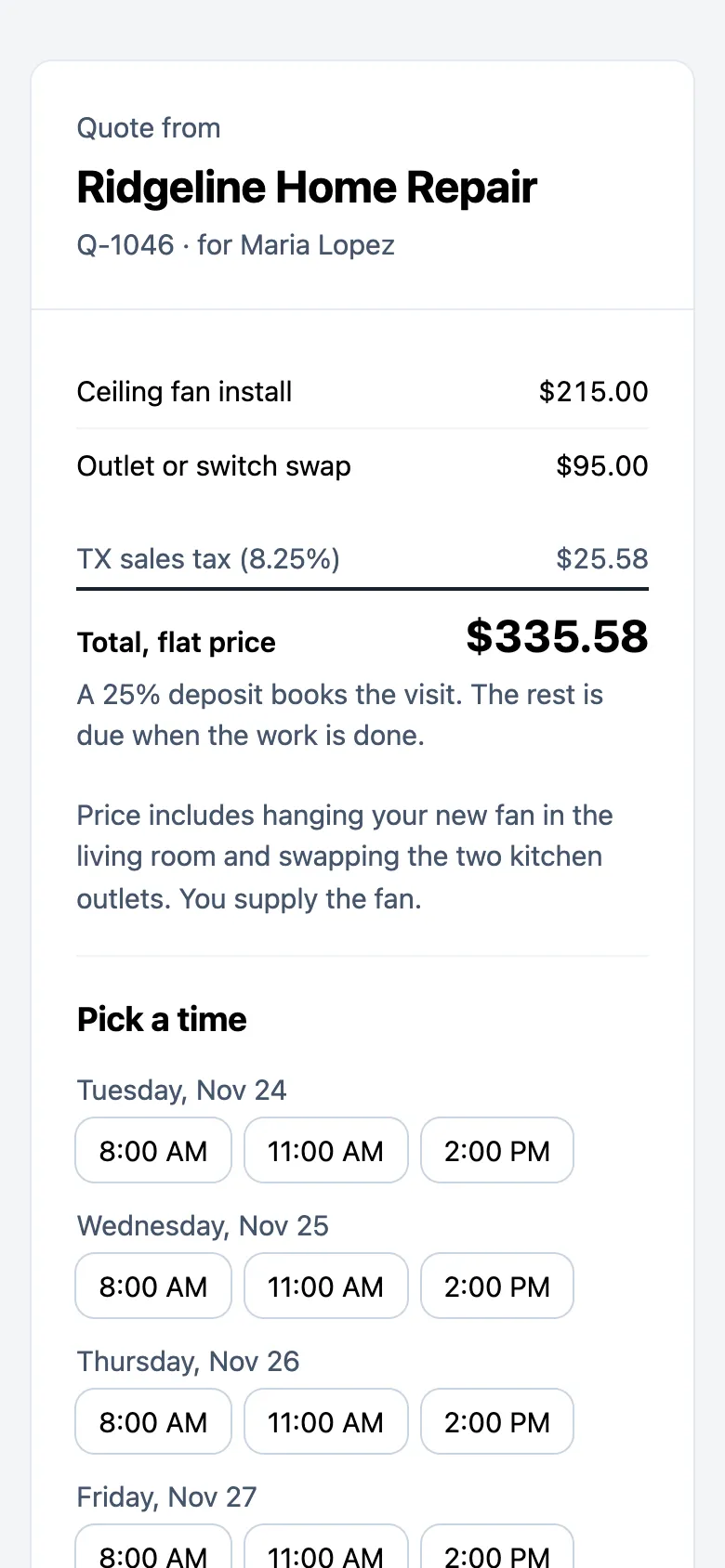
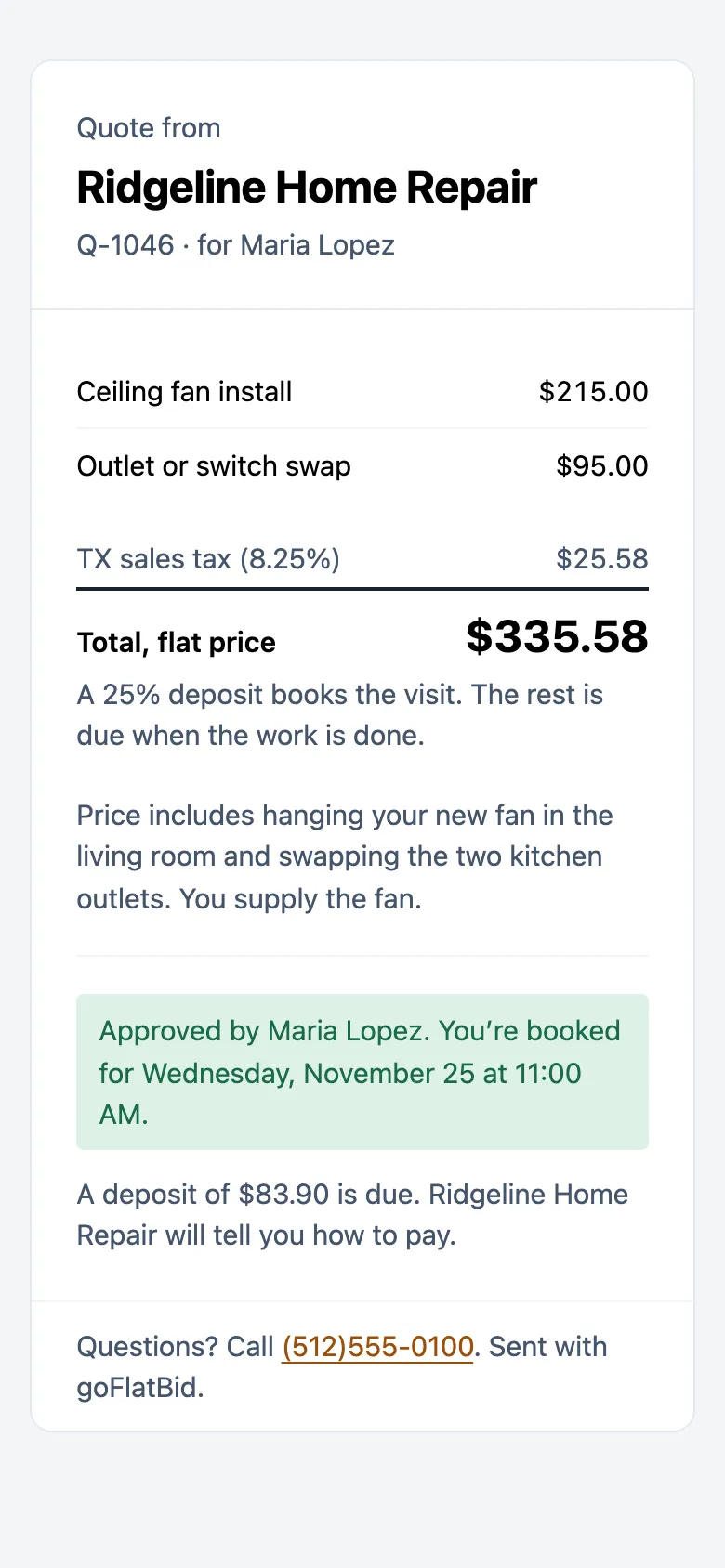
Your customer opens one link, signs with their name, picks an open time and pays the deposit.
3
On the schedule
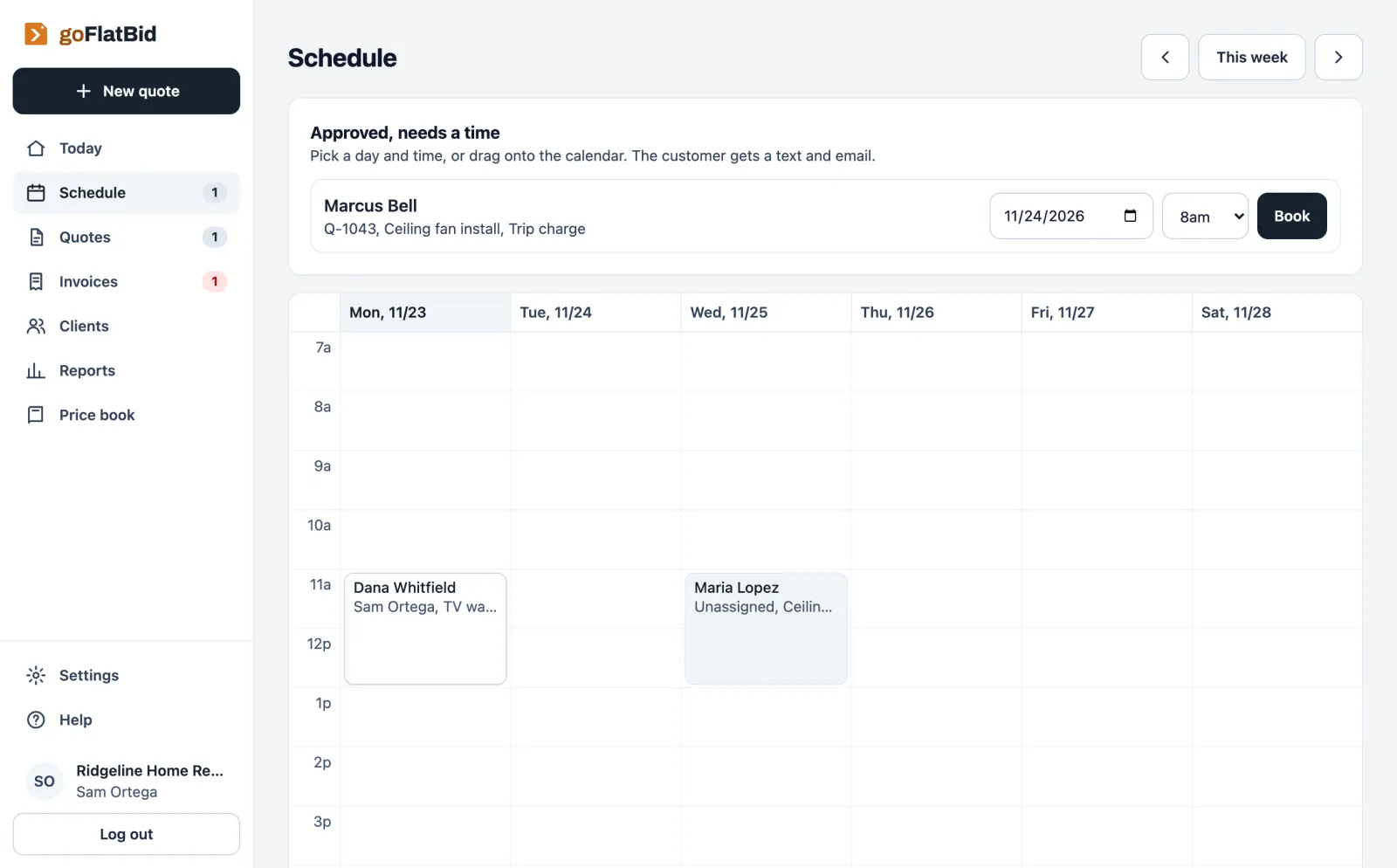
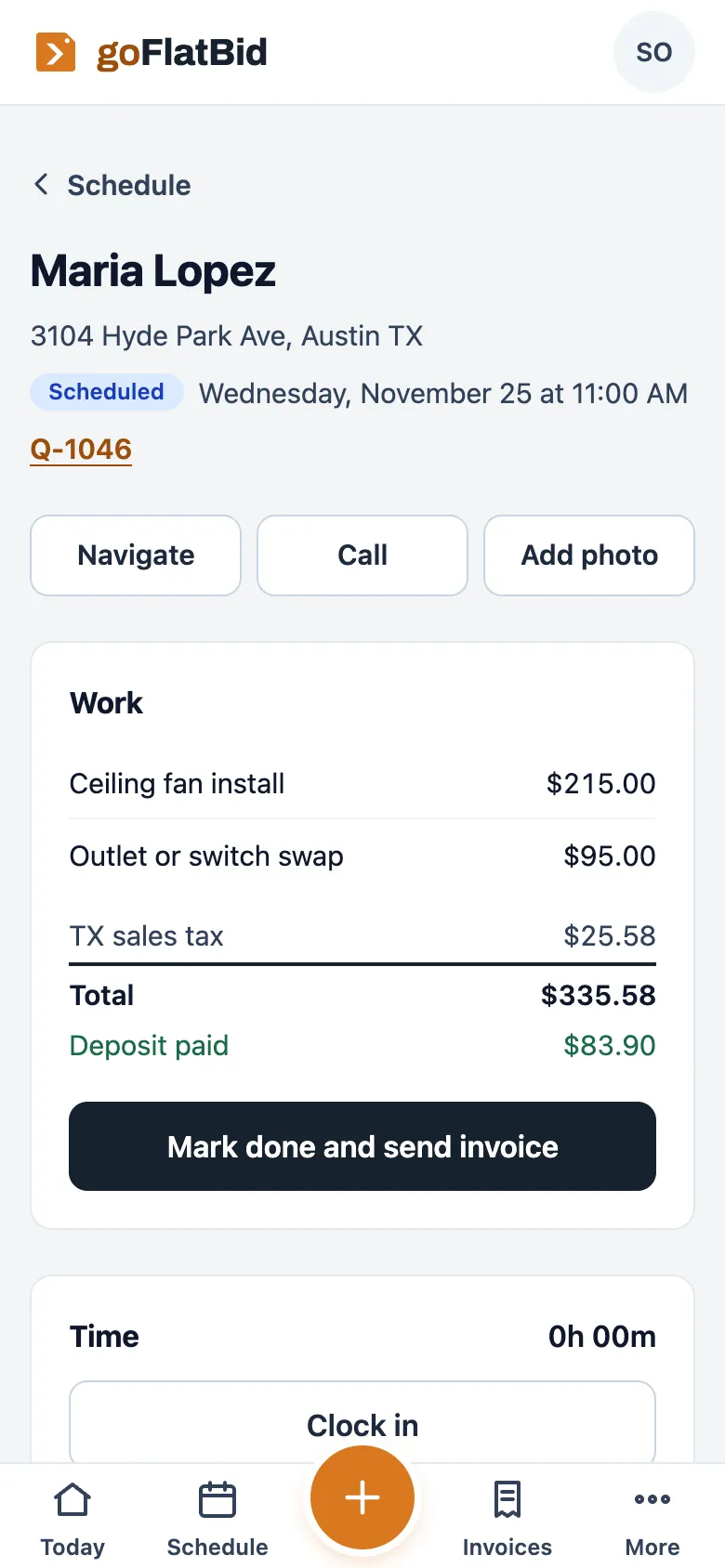
The job lands on your calendar. Assign a tech; they get directions, the work list and a clock.
4
Mark it done
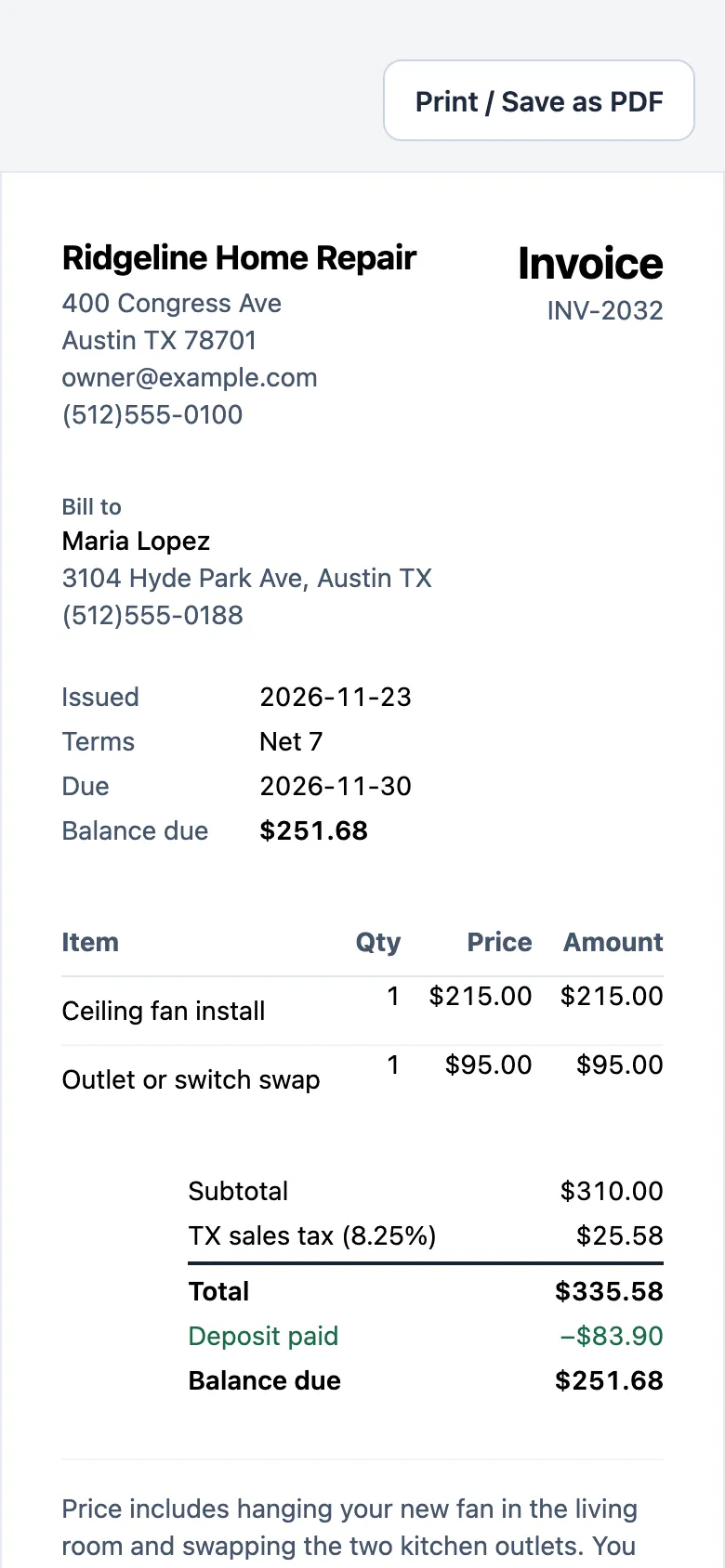
One tap sends the invoice, with the deposit already credited, plus a review request if you want one.
5
Get paid
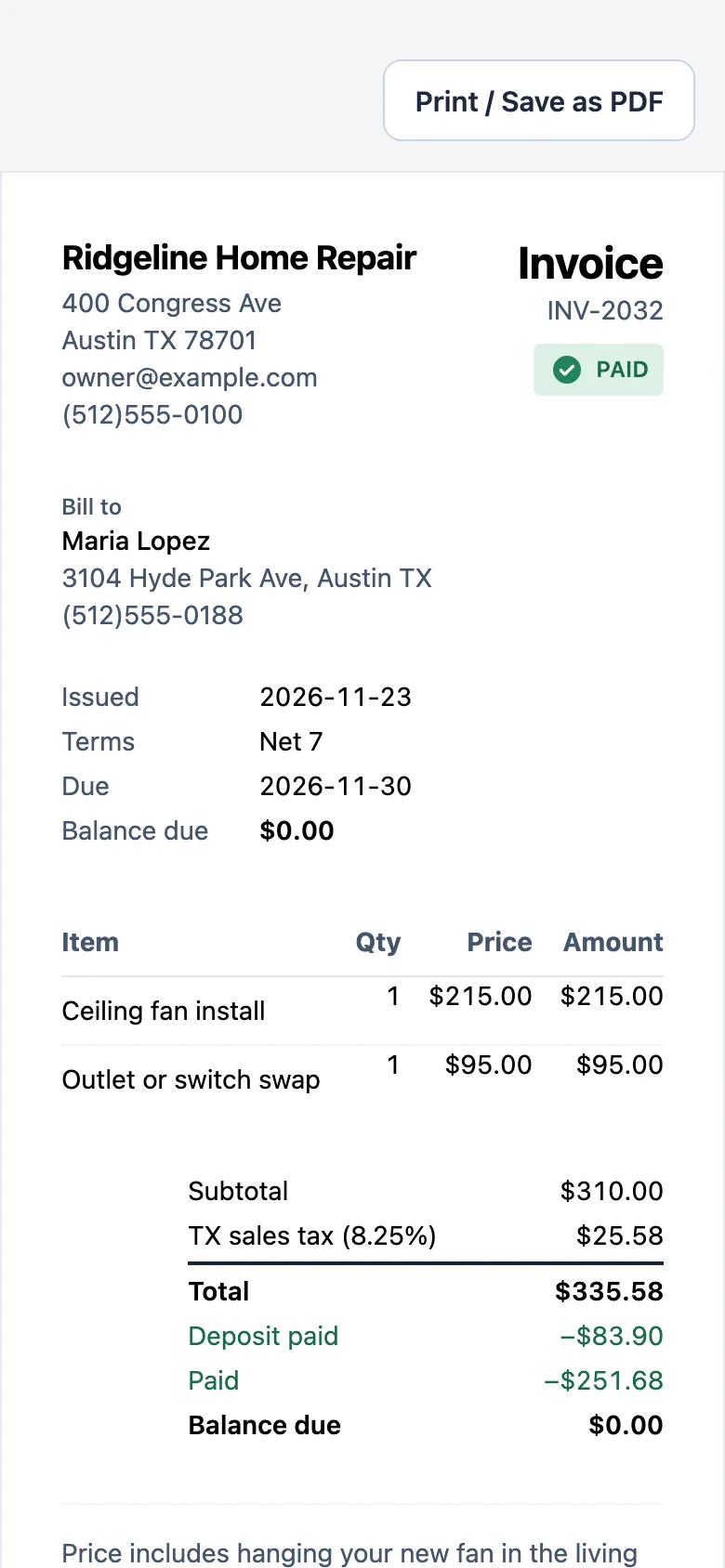
Card, bank transfer, Apple Pay or Google Pay. Reminders follow until it’s paid, then QuickBooks gets the record.
See it with a real job
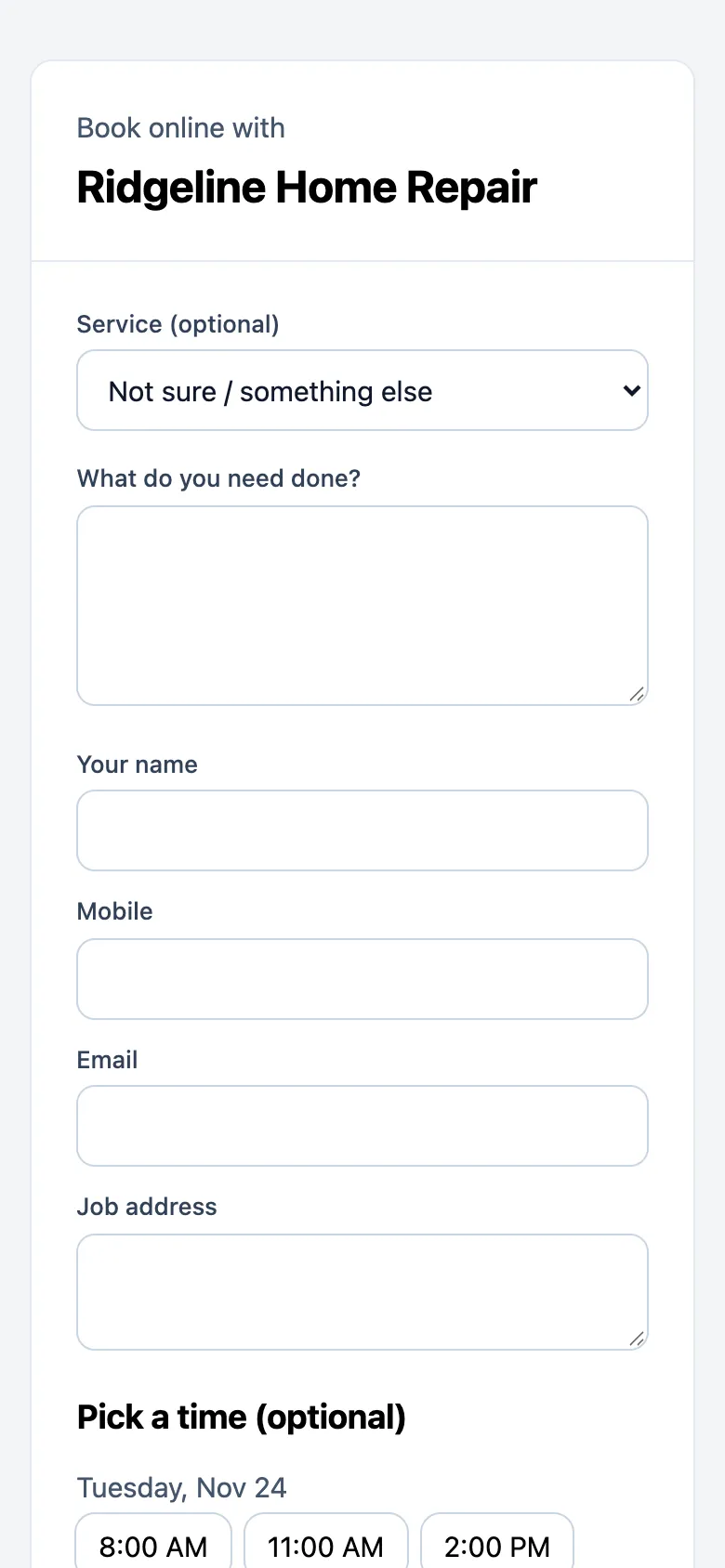
Ridgeline Home Repair quotes Maria Lopez for a ceiling fan and two outlets. Here is that job, screen by screen. These are real screens with sample data.
Everything a small crew needs, nothing it doesn’t
- Flat-rate price book
- Start from your trade’s template or import a spreadsheet. Every task has one price, so quotes match from tech to tech.
- One link: approve, book, pay a deposit
- No app or login for your customer. They sign with their name, choose a time and pay. No calls back and forth.
- Invoices and reminders on autopilot
- Mark the job done and the invoice goes out. Friendly text and email reminders before and after the due date, with optional late fees.
- Card, bank, Apple Pay, Google Pay
- Payments go through your own Stripe account, straight to your bank. goFlatBid takes nothing from your payments.
- QuickBooks, your way
- Turn customers, items, invoices and payments on or off one by one. Every sync is logged, and a failed one has a Retry button. How the sync works
- Schedule and crew
- Drag jobs onto the calendar and assign techs. Techs see their jobs, clock in and out, and add photos. They never see costs or profit.
- Win more work
- An online booking page for your website, one automatic follow-up on unanswered quotes, and review requests when a job is done.
- Know your numbers
- Today shows what you’re owed and what came in. Reports show profit on every job from clocked time and your labor cost.
QuickBooks Online integration
Your books stay right, without double entry
Connect QuickBooks Online once. From then on, your customers, price book, invoices and payments flow into your books as the work happens. You choose exactly what syncs, and you can see every sync.
What syncs, your choice
Customers
New and edited clients become QuickBooks customers, with email, phone and address.
Price book items
Each task becomes a QuickBooks service item, booked to the income account you pick.
Invoices
Sent invoices post with the same invoice number, every line item and sales tax on the taxable lines.
Payments
Card, bank, cash and check payments, deposits included, are applied to the right invoice and deposited to the account you pick.
How it keeps your books clean
Automatic, as you work
Records sync the moment you add a client, send an invoice or get paid. No exports, no end-of-month catch-up.
Updates, not duplicates
Edit a client or an invoice and the same QuickBooks record is updated. Nothing is entered twice.
Only what it sent
goFlatBid creates and updates only its own records. It never deletes anything in QuickBooks and never creates vendors.
Easy bank matching
Card and bank payments carry their Stripe reference into QuickBooks, so deposits are easy to match.
When something goes wrong
A sync log you can read
Every customer, item, invoice and payment shows when it synced, whether it worked and how many tries it took.
Errors in plain English
For example: QuickBooks already has a customer with this name, so rename the client and retry. No error codes.
One-tap Retry
Fix the cause, tap Retry, done. No support ticket, no re-entering the invoice.
Seen on Today
Your Today screen says “All synced” or shows the failed record, so problems never hide until tax time.
Safe sign-inYou connect through Intuit’s own sign-in. goFlatBid never sees your QuickBooks password, and access keys are stored encrypted.
Owner and office onlyTechs never see QuickBooks settings, costs or the sync log.
Disconnect any timeOne click in Settings stops syncing and revokes goFlatBid’s access. Your QuickBooks data stays yours.
Priced for small businesses
Every feature is on both plans. Your price is locked for 24 months from signup. More than 5 people? Email [email protected].
Solo
$19/month
One person. Every feature.
Founding members: $9.50/month for the first 12 months.
Crew
$39/month
Up to 5 people, with office and tech roles. Every feature.
Founding members: $19.50/month for the first 12 months.
A 14-day free trial, no card needed. Stripe’s card and bank fees are the only payment costs.
How goFlatBid compares
| Feature | goFlatBid | Jobber | Housecall Pro | Workiz | Service Fusion | QuoteIQ | Repair-CRM |
|---|---|---|---|---|---|---|---|
| Solo price | $19 | about $49 | $79 | quote only | about $195+ | $29.99 | $19 |
| Crew of 5 | $39 | about $129+ | $189 | quote only | about $225+ | higher tier | no 2–5 tier |
| Price lock | 24 months | No | — | — | No | No | No |
| Approve, book and pay from one link | Yes | Partly | Partly | Partly | No | Partly | No |
| Choose what syncs to QuickBooks | Yes | — | — | — | No | No | No |
| Sync log with retry | Yes | — | — | — | No | No | No |
Competitor prices from public listings and review sites, November 2026; Workiz no longer publishes prices. — means not yet checked. Check each vendor for current pricing.
Become a founding member
Join the waitlist before launch and get 50% off Solo or Crew for your first 12 months. It takes about ten seconds.
- A confirmation email now, and one more the day you can sign up.
- No account, no card, no spam. Product updates only if you tick the box.
- Questions? [email protected]
Questions
When does goFlatBid launch?
Soon. We’re finishing the last details. Everyone on the waitlist gets an email the day sign-ups open.
What is the founding member offer?
Join the waitlist before launch and you get 50% off Solo or Crew for your first 12 months. We save the offer with your sign-up, so it’s honored at launch.
Does my customer need an app or an account?
No. They get a link by text and email, and approve, book and pay from their phone or computer.
What does it cost to take payments?
goFlatBid takes nothing from your payments. Stripe charges 0.8% for bank transfers (capped at $5) or 2.9% + 30¢ for cards, and pays out to your bank.
Does it work with QuickBooks?
Yes, QuickBooks Online. You choose which records sync: customers, price book items, invoices and payments. They sync automatically as you work, edits update the same record instead of making duplicates, and you pick the income and deposit accounts. Every sync is logged with a plain-English error and a Retry button if something fails. goFlatBid never deletes anything in QuickBooks and never creates vendors. More on the QuickBooks sync
Can I bring my price list and customers?
Yes. Import both from a spreadsheet (CSV), or start from a ready-made price book for your trade and adjust the prices.